Accounts and profile
How do I create an account and start recording my games?
Open the Club tab, choose No account yet? Create one. and fill in Name, Email address and a password of at least 8 characters. Read and save the terms and conditions using the form link, then tick the box to accept them. Create account signs you in immediately. From then on, the first life change of a game starts recording it; play from before you signed in is never added afterwards.
On this page
Before you start
An account is free and asks for no payment details (see what is free, and do I need Club?). This one step does need a working connection: the counter itself keeps working offline, but creating an account has to reach the server.
Only the person who wants games in their own history needs an account. Everyone else can sit in a seat as a Guest. There is no confirmation email to wait for and no code to enter: the account exists as soon as the form is accepted.
Create your account
- Open the counter and tap the round menu button in the centre of the table. In the one-player layout, it is at the top right.
- Tap the Club tab. While you are signed out, this opens Sign in.
- Choose No account yet? Create one. under the sign-in form.
- Fill in Name — the name the app shows for you — your Email address, and a Password of at least 8 characters.
- Read and save the terms and conditions using the form link, then tick the box to accept them.
- Tap Create account. You are signed in straight away and land on Club.
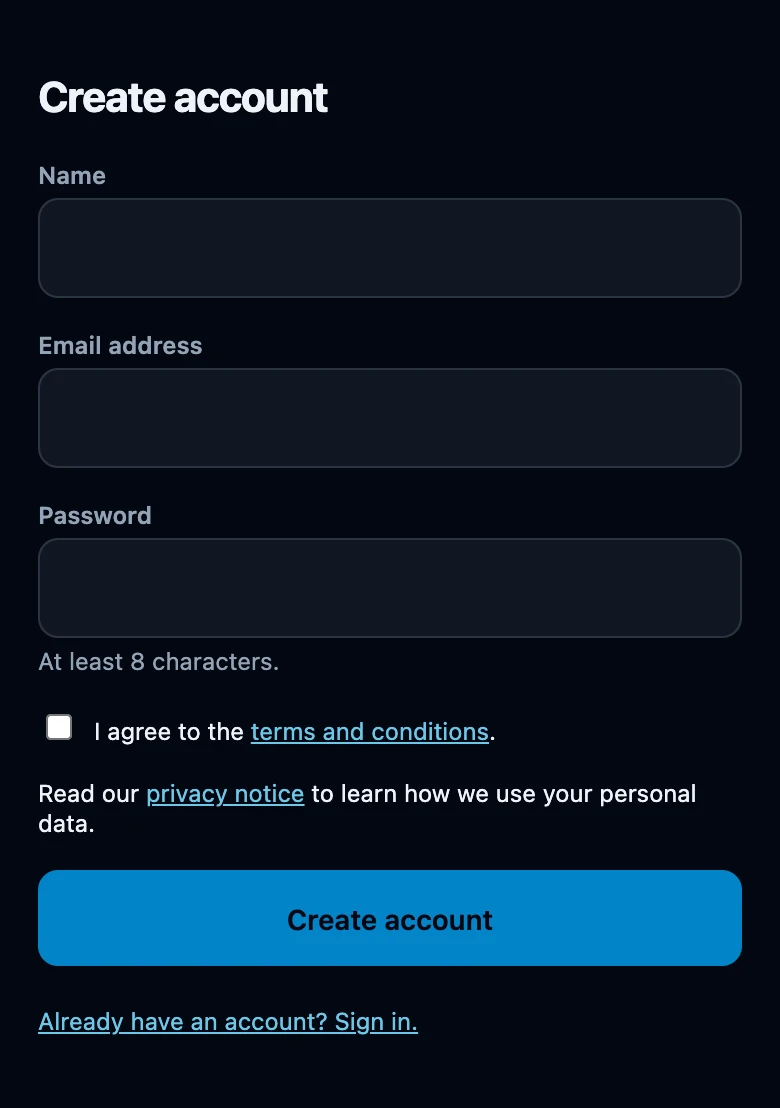
The language you register in becomes your profile language. An account created on the English app opens in English again when you sign in on another device.
The privacy notice beside the form explains how your personal data is used. It has no separate acceptance checkbox.
What changes right away
- The table stays exactly as it is. The same seats, life totals, names, extra counters and backgrounds are still there: creating an account never clears the board.
- Just counting disappears. That note under the menu button only shows while you are signed out.
- Club becomes your own page, with History, Statistics, Decks, Friends and Groups, plus a row with your name.
- No username yet appears under your name. A username is optional; you can add one later under Profile and account, and until you do, nobody can look you up by one.
Use Back to counter at the top of the screen to return to the table.
Your first recorded game
There is no separate record button. The first life change of a game after signing in starts the recording, and the app opens a game night for today by itself, named after the day — for example Sunday, September 13. Everyone with a name in a seat is added to that night's list of players (see game, match, game night, group and season explained).
- Change one player's life total on the table.
- Open the menu and look at Play: while a game is being recorded, it shows a Game over row.
- Choose Game over, pick the Winner and tap Finish match to record the result.
- Find the result back under Club, in History; the night itself is under Night.
Next game in this match instead of Finish match keeps the same match open and starts the next game inside it.
What about the games you already played?
They stay outside your history. While you are signed out, nothing is written down at all, so there is nothing left for the app to send afterwards. Signing in cannot reconstruct a game that was never recorded (see start counting without an account).
You can create an account in the middle of a game, but the recording still begins at your next life change. That recorded game counts from the Starting life chosen in Play, not from the totals already on the table, so it will not match what you actually played. For a result you can trust, create your account before the game, or use New game on Play and let the next game be the recorded one.
If it does not work
- The email address has already been taken. An account already uses this address. Use Already have an account? Sign in. under the form, or Forgot your password? on the sign-in screen.
- The password field must be at least 8 characters. The length is checked when you send the form. Choose a longer password and try again.
- No connection. Try again once you are back online. Creating an account needs the server. The counter keeps working meanwhile and nothing on the table is lost.
- Too Many Attempts. Creating accounts and signing in are limited per minute from the same connection. Wait a minute and try again; this particular message is not translated.
- Nothing is recorded even though I am signed in. Recording starts at the first life change of a game. A table you have not touched since signing in has nothing to record yet.