Counter controls
How do I add and remove extra counters, like Poison or Energy?
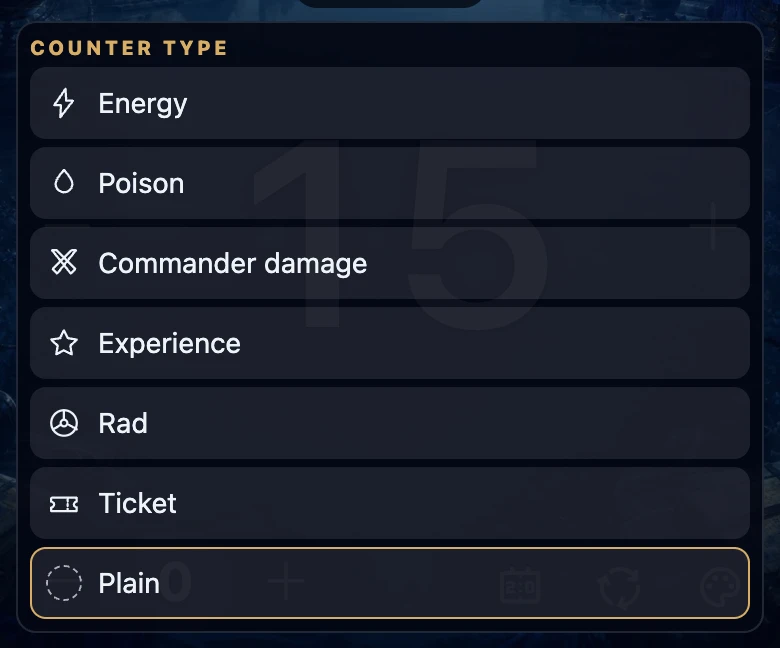
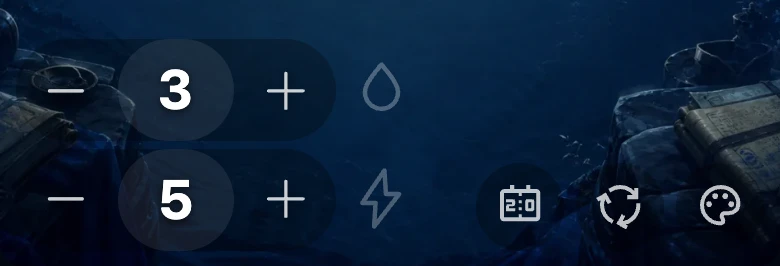
In a player's toolbar, tap the add-counter icon to add a new counter starting at 0, then choose its type — Energy, Poison, Commander damage, Experience, Rad, Ticket or Plain — from the list that opens. Use the − and + on either side of the number to adjust it, and press and hold the number itself to remove that counter.
On this page
Before you start
This works the same signed in or signed out, on any table size. See choose players and starting life for the table itself, and adjust life and correct an accidental tap for the life total — extra counters are separate from life.
Add a counter
- Tap the add-counter icon in your toolbar, next to the background and reset icons.
- A new counter appears at 0, and a list of types opens automatically.
- Choose a type from the list, or tap Plain for a counter with no type.
Each player can have up to 4 counters at once. Once a seat has 4, its add-counter icon disappears until you remove one.
Choose a counter's type
The list offers Energy, Poison, Commander damage, Experience, Rad, Ticket and Plain. These names stay in English in both languages, the same as the cards that use them.
On the board itself, a counter shows only a small icon next to its number — there is no text label there, so a screen reader announces the type instead. Tap the number again at any time to reopen this list and change the type, including switching back to Plain.
Commander damage asks which opponent the damage comes from when there are two or more seats. At a solo table you can choose the type too, but without a source.
Once a Commander damage counter reaches 21, its number turns gold to flag lethal damage. That is a visual flag only — it does not eliminate a player or change anyone's life; you still act on it yourself.
Adjust or remove a counter
- Use the − and + on either side of the counter's number to change its value; press and hold either one to repeat quickly.
- A counter cannot go below 0.
- Press and hold the number itself — its tooltip reads Hold to remove — for about half a second to remove that counter entirely. Letting go earlier instead reopens the type list.
What this does and does not record
Adding a counter, choosing its type and removing it again are changes to the table itself, not to history. Only using − and + to change a counter's value is recorded to that game's history, the same way life changes are — and only once you are signed in and a game is being tracked (see game, match and game night explained).
Resetting one player sets their extra counters to 0 and keeps their types and sources. New game removes all extra counters from the table.
If it does not work
- I do not see any type names on the board. That is expected — a counter shows only its icon there. Tap its number to see the full type list again.
- The list only lets me pick a player, not a type. You already chose Commander damage; use ‹ at the top to go back and pick a different type instead.
- I cannot add a fifth counter. Each player is limited to 4 at a time; remove one first.
- I held the number and nothing was removed. Keep holding until the counter disappears — that takes about half a second. Letting go earlier only reopens the type list, it does not remove or change anything.