Counter controls
How do I adjust life, and how do I correct an accidental tap?
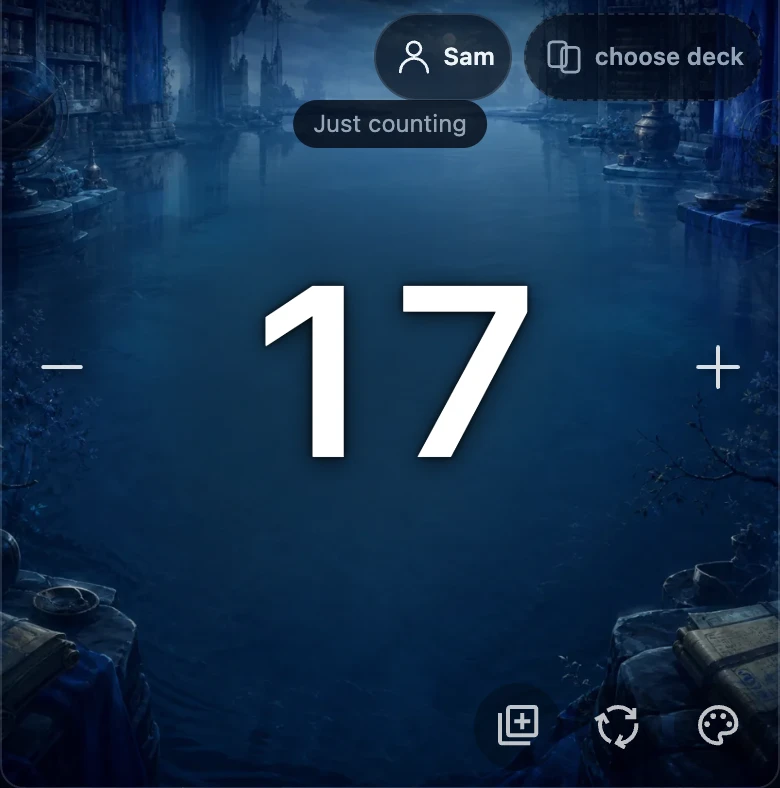
Tap a player's + or − area to change that player's life by one. Keep holding either area to repeat the change automatically, faster the longer you hold; lifting your finger stops it right away. There is no separate undo button — correct a mistake by tapping the opposite area the same number of times.
On this page
Before you start
This works the same with or without an account. Signed out, adjusting life only changes the number on the table. Signed in with a game being tracked, each life change is added to that game's history once it settles — see how to start counting without an account for the difference.
A player's + and − areas are large tap zones, not small buttons: − is the whole left half of that player's panel and + is the whole right half, so you can tap or hold anywhere on that side.
Tap once, or hold to repeat
- Tap the − area (left half of a player's panel) to lower that player's life by one, or the + area (right half) to raise it by one.
- Keep holding the same area to repeat the change automatically: repeating starts after a short pause and then speeds up the longer you hold.
- Release — lift your finger or the mouse button — to stop right away; nothing more changes after you let go.
While you are tapping or holding, the panel briefly shows the running change (for example “+4”) above the life total. It fades a moment after you stop.
Correct an accidental tap
There is no dedicated undo button for a life change. Fix a mistake by tapping the opposite area the same number of times: tap + to undo an accidental −, and the other way round. Overshot while holding? Hold the opposite area to bring the total back down quickly.
This corrects the number shown on the table. For a signed-in, tracked game it does not remove anything already added to match history — see what that means below.
What a correction does to your match history
When you are signed in and a game is being tracked, a life change is not written to history the instant you tap: the app briefly groups your taps on the same player together before adding one entry. Correcting a mistake before that short pause ends can cancel out with the original tap, so nothing extra reaches history.
Catch it later, after that entry has already been added, and the correction becomes its own new entry alongside the original one: recorded history is only ever added to, never edited or deleted. Either way, the total shown on the table is correct as soon as you finish tapping.
If something looks off
- A held area keeps repeating after you meant to let go. Switching to another app or hiding the browser tab also stops it automatically, as a safety net.
- The total does not match what you intended. Tap the opposite area to bring it back to the right number; the total shown on the table is always what counts for the game in progress.