Groups and statistics
How do I create and close a season?
Open your group under Club → Groups, fill in Name and Start date under Seasons and tap Create season. Results count in a season through the game nights you link to it in Manage night. Close season sets today as its end date; it cannot be reopened, and its Standings stay readable.
On this page
Before you start
- You own the group. A season always belongs to one group, and only its owner creates, closes and views seasons.
- A connection. Seasons are saved on the server straight away.
Create a season
- Open Club → Groups and tap the group.
- Under Seasons, enter a Name. Start date is filled in with today; change it if the season started earlier.
- Tap Create season. Create season stays inactive while the name is empty. The season appears with Running.
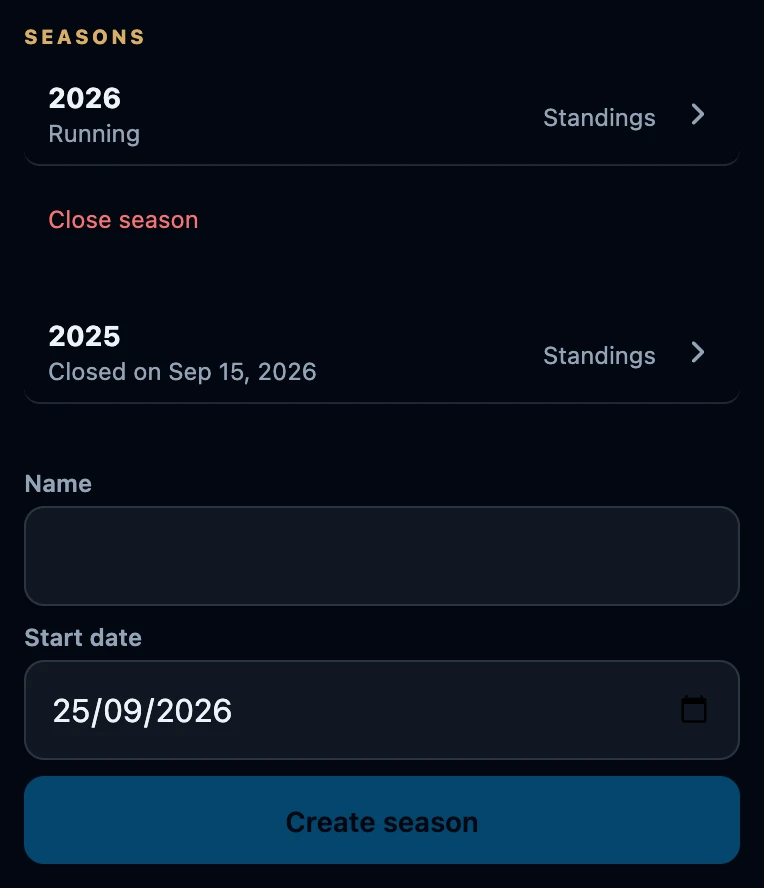
Seasons are listed with the latest start date first. The start date only sets that order: a result counts in a season because its night is linked to it, not because of its date. Several seasons can run at the same time, and a new season takes nothing over from an earlier one.
Link game nights
Open Night → Manage night, choose the group under Group and the season under Season. Completed results from that night then count in the season standings, including games recorded before you linked it. Open those standings with Standings next to the season. Only finished matches with no pending or disputed confirmation count, along with matches that have become final. Linking the night alone does not make every result count.
Close a season
- Tap Close season under the season.
- The app asks Close season? and warns that it cannot be reopened.
- Tap Close season to close it, or Cancel to leave it running.
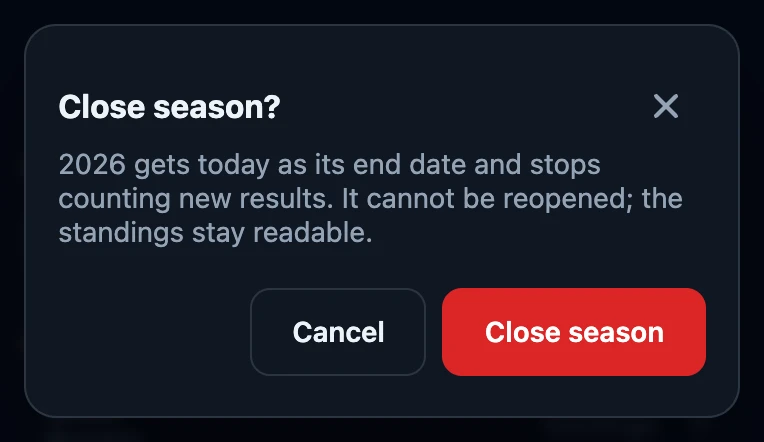
After closing, the season shows Closed on with today’s date and Close season disappears. Standings stays.
What closing does and does not do
- It cannot be undone. There is no reopen, and the name and dates of a season cannot be changed. A season cannot be deleted either.
- The standings stay readable through Standings, for as long as the group exists.
- Linked nights stay linked. The question says the season stops counting new results, but results from nights still linked to it keep appearing in its standings. That includes a night that is still open and a result that is only confirmed later.
- The Season choice still lists a closed season. For new nights, choose a season that is still running.
Close a season only once its last night is closed and every result is settled.
If it does not work
- Create season stays grey. Enter a name first.
- No connection. Try again once you are back online. Nothing was saved or closed.
- Close season is missing. The season is already closed.
- Closed too early. It cannot be reopened. Create a new season and choose it under Season in Manage night; a closed night must be reopened first, which is possible within 24 hours.