Game nights
How do I link a game night to a group and season?
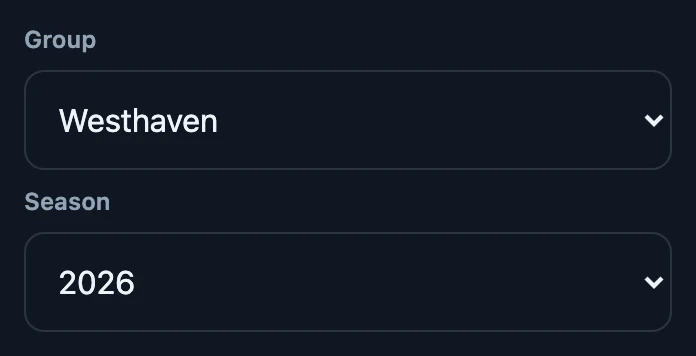
Open Night → Manage night and choose one of your groups under Group. Then choose a season of that group under Season. Completed matches count once no confirmation is pending or disputed, or once the result is final. Matches played earlier that night can count too. Choosing None under Season links the night only to the group.
On this page
Before you start
- You own a group with a season. Create both under Club → Groups. The choices only appear when your account owns at least one group; a group of someone else does not appear.
- The night is open on this phone. The choices are in Manage night, which only exists for an open night. To link a closed night, reopen it first within 24 hours.
- A connection. The link is saved on the server straight away.
Link the night
- Open Night and tap Manage night.
- Choose the group under Group. Season appears below it.
- Choose the season under Season. The choice is saved immediately; there is no save button.
Choosing another group resets Season to None. None under Group removes both links.
Which combinations are possible
- No group: None under Group.
- A group without a season: None under Season.
- A group with one of its own seasons. A season of another group is refused.
- Only groups of your own account. A device that joined the night sees the groups of its own account, not those of the host.
What this does to the standings
- Season standings use completed results from every night linked to that season. Open them via Club → Groups → the group → Standings at the season.
- Games recorded earlier count too. Standings follow the night's current link: linking afterwards adds the games from earlier that evening, and choosing another season moves them.
- Not every result counts straight away. A result only counts in season standings when no confirmation is still pending or disputed, or once it is final.
- Night standings do not change. Night standings always show every completed match of that night.
Watch out with a closed season
The Season list also shows seasons that are already closed, and the app lets you choose one. The results of this night then do appear in the standings of that closed season. Choose a season that is still running; you can change the choice while the night is open.
If it does not work
- Group and Season are missing. Your account owns no group yet, or the groups could not be loaded without a connection.
- No connection. Try again once you are back online. The choice jumps back; nothing was linked.
- Could not link the group or season. The combination was refused and the choice jumps back.