Game nights
How do I resume, close and reopen a game night?
On a phone without its own open night, Night offers Resume this night for your night that is still open elsewhere. Close a night with Night → Manage night → Close night. Within 24 hours of closing, the person who started it can tap Reopen under All game nights, with a connection. A night without activity also closes by itself after six hours.
On this page
Resume a night on another phone
- Open Night on the phone that does not have the night yet.
- Your open night appears with its name and date. Tap Resume this night.
- The night is now the night of this phone too, and you are under Who is here.
Do this before you change a life total on that phone. Otherwise that phone starts a separate new night.
Close an old night and start today
Is the open night from an earlier day? Tap Close it and start today. The app asks whether to close that night and start a new one today, and tells you the games from that night stay in your history.
- Close and start closes the old night and opens the night of today.
- Cancel changes nothing.
- Closing failed. Try again.
Close a night
- Open Night → Manage night and tap Close night at the bottom.
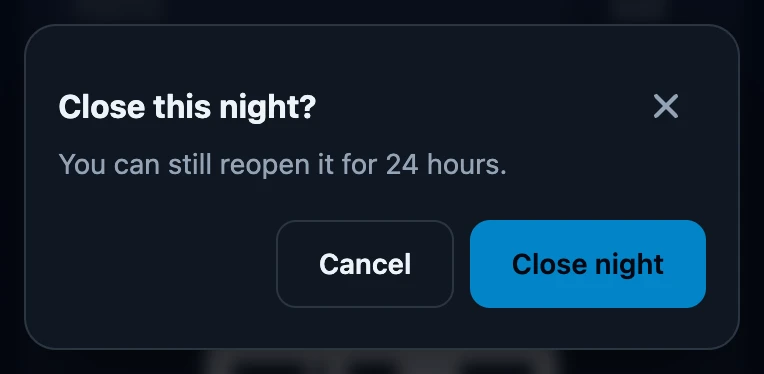
- Close this night? says you can still reopen it for 24 hours. Tap Close night to confirm, or Cancel to keep the night open.
- The Night page is empty again and the Summary of the night appears.
You can also close an open night from Night → All game nights, with Close night under that night; no summary appears then. Closing works without a connection: the phone sends it once you are online.
What closing changes
- The code stops working. Nobody can join with it any more.
- Recorded games stay. They remain in your history and in that night's standings.
- No winner is recorded for you. Closing the night does not finish a game that is still in progress on the counter.
- A new match starts a new night. A match already in progress stays with the old night, including when you choose Next game in this match within it. Finish that match first; the first life change for the next match starts a new night on this phone.
- Only hosts close. That is the person who started the night and every device that joined it.
Reopen a night
- Open Night → All game nights. Closed shows only closed nights.
- Tap Reopen under the night.
- The night says Open again, gets a new code and becomes the open night of this phone.
- Within 24 hours of closing, also when the night closed by itself.
- Only with a connection. Offline you see No connection. Try again once you are back online.
- Only by the person who started the night. A device that joined sees the button, but reopening does not work there.
- Could not reopen. This only works online and within 24 hours. One of these conditions was not met.
Automatic closing
Nobody has to close a night. The server closes a night that has had no activity for six hours; it checks every hour, so it can take up to an hour longer. Activity means recording games, changing the roster, joining and editing the night. A phone on which the night was not used for six hours also stops treating it as open.
If it does not work
- There is no Reopen button. The night is still open, or you are not a host of it.
- The night closed while we were still playing. Reopen it within 24 hours via All game nights.