Game nights
How do I view and share a night summary?
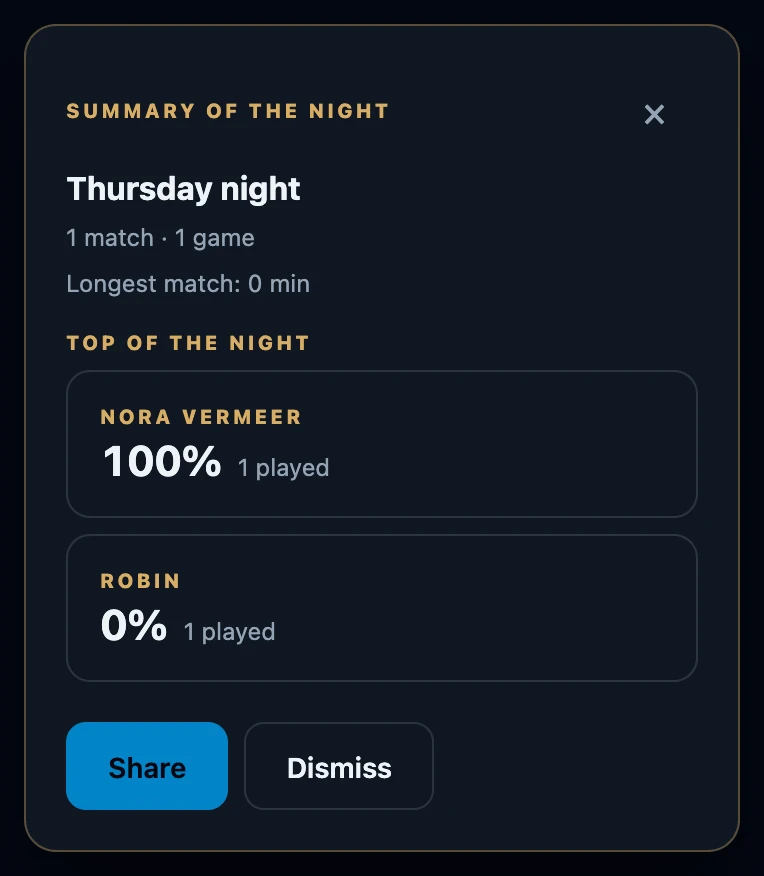
Close the night with Night → Manage night → Close night. The Summary of the night then appears on the Night page, with the number of matches and games, the longest match and the top of the night. Share sends it as plain text through your phone's share menu, or copies it to the clipboard.
On this page
When the summary appears
- Right after closing the night with Manage night on the Night page. It appears once, at the bottom of the page.
- Not when the night is closed from All game nights, with Close it and start today, or automatically.
- Dismiss or the × removes the card. There is no separate page to open it again later.
- It needs a connection. Without one, the card only says No connection. Try again once you are back online.
What is on it
- The name of the night.
- Matches and games, for example 1 match · 2 games. One match can consist of several games, so the second number can be higher.
- Longest match in minutes, when game durations were recorded.
- Top of the night: up to three players who played at least one match, with their win rate and how many matches they played.
- Most played decks: up to three decks, only when decks were chosen for the seats.
Only completed matches count. Results that still await confirmation count too, just as in Night standings. Games that have not been sent from a phone yet are not included.
Most played decks shows up to three decks, ranked by match wins and then matches played. The deck played most often is therefore not always first.
Share the summary
- Tap Share on the card.
- On a phone with a share menu, choose the app to send it with.
- Without a share menu the text is copied: Summary copied to the clipboard. Paste it wherever you like.
The shared text contains the name and date of the night, the number of matches and games, and a line per player from the top of the night with win rate and matches played. Decks and the longest match are not included.
Sharing is not a live results page
- It is text, not a link. Nobody gets access to the night or the app through it.
- It does not update. Text you already shared stays as it was.
- The night itself stays within the table. Its standings are only visible to the hosts and the players on the roster who have an account.
If it does not work
- Sharing did not work. The browser allowed neither a share menu nor the clipboard. Nothing was shared; try again, or note the figures from the card.
- No summary appeared. The night was closed in another way, or the card was dismissed.
- A game is missing. It had not been sent yet or was not finished when you closed the night.