Accounts and profile
Who can find me, and what does rotating my personal code do?
Discoverable by username for other players on Profile decides whether anyone can find you by searching for your username. Finding you is not linking to you: a host also needs your personal Link code, which is the part that stands for your consent. Rotate gives you a fresh code and stops the old one — and its QR — from working for new links.
On this page
Searching and linking directly
Searching and linking are different features. Username search needs a username and enabled discoverability. Linking directly with your personal code does not require a search: it also works without a username and with discoverability off. A search result alone does not give anyone permission to link.
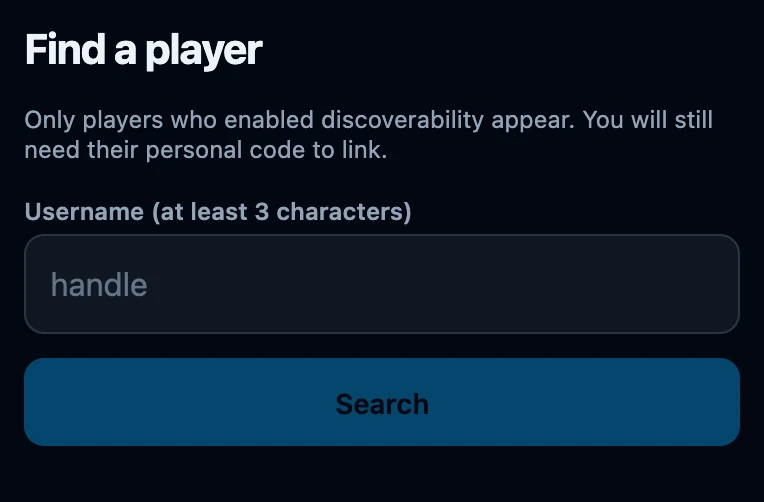
That is why Find a player says so on the screen itself: Only players who enabled discoverability appear. You will still need their personal code to link.
Being found by username
- A username is required. A new account is discoverable already, but it has no username, so there is nothing to search for until you choose one under Profile.
- The switch is yours. Clear Discoverable by username for other players and tap Save, and searches stop returning you: the other player sees No discoverable players found. even when they type your username exactly.
- A search matches from the start of the username and needs at least 3 characters; Search stays greyed out below that. Your display name and email address are never searched.
- Turning discovery off changes nothing about existing friends. Players already linked to you keep you in their list, with your username shown, and you keep them.
- Searching is rate-limited per minute. Too many searches mean the person searching has to wait. This does not make a discoverable username private.
Your personal link code
Profile shows a Link code card with a QR code and the ten-character code underneath, plus the line Have a host scan this code inside their app, from the contact they want to link to you. The same code sits under your name on Club, so you can read it out at the table.
A host scans or types it in their own app and their contact for you becomes a linked contact, at both ends at once. Possession of the code is the consent, so it works even when you are not discoverable — and it is also why the code is not something to post publicly. Anyone who has it can link a contact to your account.
Rotate your code
- Open Club → the row with your name → Profile and scroll to Link code.
- Tap Rotate. The app asks Rotate link code? and warns The current code and QR will stop working.
- Choose Yes, rotate to go ahead, or Cancel to keep the code you have.
- The card shows the new code and a fresh QR, with the message New link code generated.
What rotating does and does not do
- The old code stops working straight away. Typed into an add-a-friend form it answers This link code is unknown or has been revoked.; scanned or entered under Scan a code it answers We don't know this code (anymore).
- Any picture of the old QR is useless, which is the point: a code you shared too widely can be taken back.
- Friends you are already linked to stay linked, in your list and in theirs. Rotating only affects links that have yet to be made.
- Nothing else moves. Your username, discoverability, recorded games, statistics and decks are untouched.
- There is no way back. The previous code is gone; hand out the new one.
If it does not work
- Nobody can find me. Check that Username is filled in and Discoverable by username for other players is ticked, and that you tapped Save. The other player needs at least 3 characters, starting at the beginning of your username.
- I found them but cannot add them. Add as linked contact stays disabled until a code is filled in. Ask the player for the code on their own Profile; there is no way around it.
- This link code is unknown or has been revoked. A typing mistake, or the code was rotated. Ask for the current one. The code has no letters I or O and no digits 0 or 1, so those are usually a misread.
- I shared my code by accident. Rotate it. Contacts already linked stay as they are; only new attempts with the old code fail.
- Can I stop an existing link? There is no unlink button. Deleting a friend from Friends clears that entry from your list but does not revoke the link or access to earlier games.