Players and friends
How do I save and edit a friend?
Open Club → Friends, tap Add friend, type a Name and tap Save. Your friend needs no account: they appear as Only with you and you can seat them straight away. To change the name, tap the friend and choose Edit friend.
On this page
Before you start
You need to be signed in, because the friends list belongs to your account. Your friend needs nothing: no account, no email address and no app.
Add a friend
- Open Club and tap Friends. The page is called My friends.
- Tap Add friend. New friend opens with a Name field.
- Type the name and tap Save. The friend is added to the list with Only with you.
At the table it is quicker: in Who plays here?, type the name under New friend and tap Add. The friend is saved and seated in one go.
When the name already exists
Two friends may have the same name, but one person saved twice splits their games over two entries. So when a friend with that name already exists, whatever the capitals, the app asks first, for example You already have a friend called Sam.
- Use existing leaves your list as it is. From Add friend the sheet simply closes; in Who plays here? the existing friend is seated.
- Create new anyway saves a second friend with the same name, for when it really is somebody else.
Only with you or Linked to an account
Every friend in the list shows one of two labels.
- Only with you: the name and the numbers stay with you. Games with this friend are in your history, not in theirs.
- Linked to an account: this player also sees the games they took part in in their own history and statistics, and can confirm them. Their username is shown under the name.
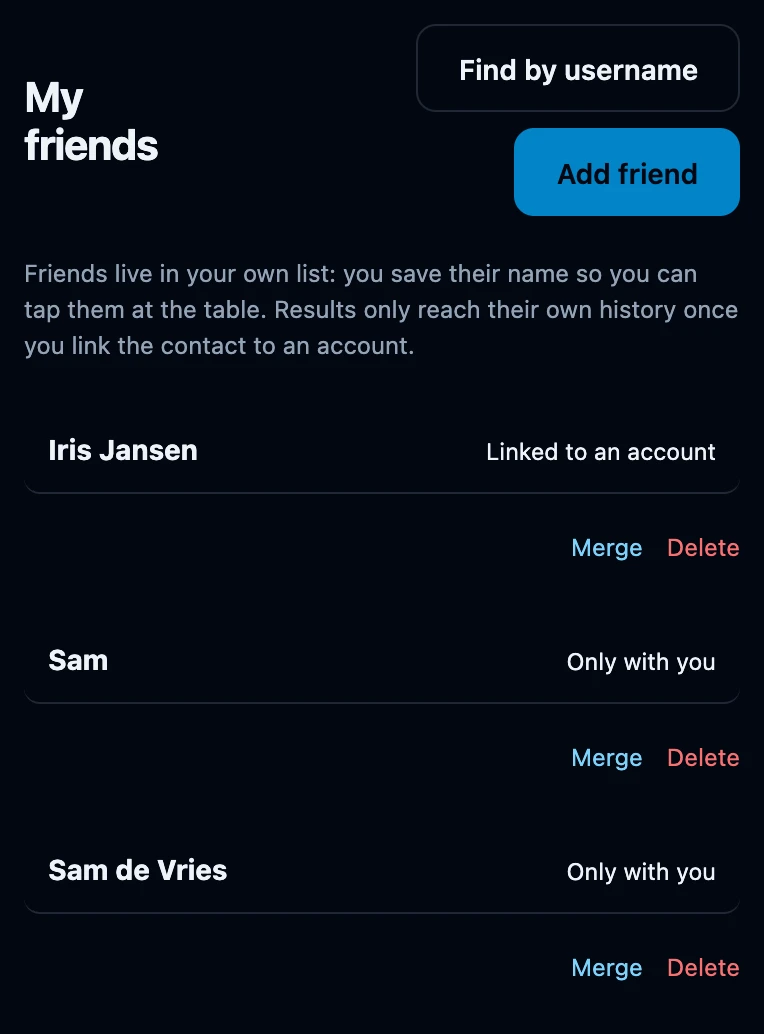
Saving a friend never links them, not even when the name matches an existing account exactly. Linking always needs that player's own code.
Rename a friend
- Tap the friend in My friends.
- Tap Edit friend.
- Change the Name and tap Save.
The new name is used in your list, in Who plays here? and in your history for games with this friend. A name already on a seat at the table stays as it was until you choose the friend again. For a linked friend, history shows the name of their account instead.
Edit friend also has Automatically trust recorded matches. That setting only matters once the friend is linked to an account.
Without a connection
Adding a friend also works without a connection: the friend is on this device straight away and is sent to your account once you are back online. Renaming, merging and deleting do need a connection.
If it does not work
- Save stays greyed out. The name is empty. A name can be at most 60 characters long.
- I saved somebody twice. Merge the two entries, so their games count together.
- Results still do not reach my friend. They stay with you until the friend is linked to an account with that player's code.