Players and friends
How do I link a friend to their account?
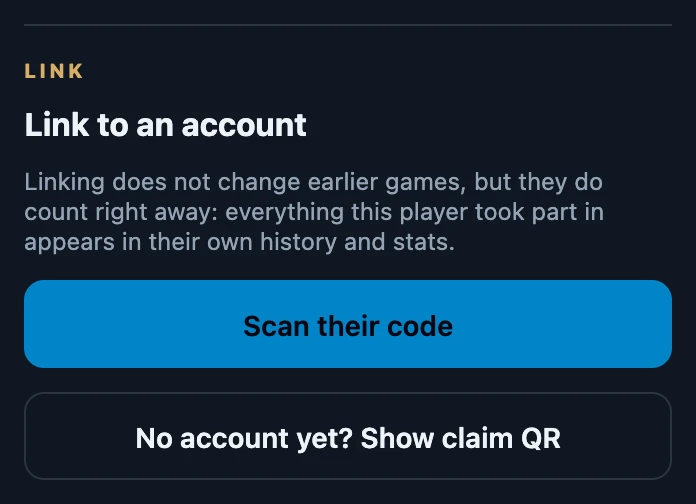
Open the friend under Club → Friends and tap Scan their code. Scan the QR on the other player's phone or type their Link code, then tap Link contact. The friend then shows Linked to an account, and the games they already played with you count in their own history and statistics straight away.
On this page
Before you start
- The friend is saved in your list, with the games you already recorded for them.
- The other player has an account and shows you their personal code: on Profile under Link code, or under their name on Club. Whether they are discoverable does not matter; having the code is the consent.
- You are online. Linking happens on the server.
- No account yet? Show them a claim code instead, so they can take over the friend when they sign up.
Link the friend
- Open Club → Friends and tap the friend. The card shows Only with you and a section Link to an account.
- Tap Scan their code. Scan link code opens.
- Tap Open camera and point it at the QR on their screen, or type the ten-character code under Link code and tap Link contact.
- The card now shows the player's username and Linked to an account, the linking section is gone, and Contact linked. appears briefly.
Link the friend you already have
Link from the friend's own card rather than adding the player again. Scan a code at the top of the app creates a new linked friend if that account is not already linked to a friend; if you already had a friend with that name, the app says so, and the earlier games stay with the old entry until you merge the two. Find by username notices a friend with the same name and offers to link that friend with the code instead.
If the account is already linked to a friend, Scan a code returns that existing friend. Scanning the same code again does not create a second friend.
What linking changes
- Earlier games count for them straight away. Everything this friend took part in appears in the player's own history and statistics. The recorded games themselves are not changed.
- History shows their account name. The seat now carries the name of their account, for you as well as for them. Your friends list keeps the name you gave the friend.
- You appear in their friends list too, already linked, unless they already had you saved, even as a friend they later deleted.
- The friend's decks move to their account. You still see them on the friend card, but only the player can manage them from then on.
- Recent games ask for their confirmation. Matches finished in the last seven days that are not final yet appear under To confirm for them. Older games count without a question. If you already automatically trusted the recorder, your confirmation may be given immediately.
- New games with this friend reach their history as soon as they are recorded.
What you cannot do
- There is no unlink button. A link cannot be undone in the app.
- One friend per account. Once linked, the card no longer offers Link to an account. If another friend in your list is already linked to that account, linking is refused with, for example, You already have Sam linked to this account. Merge the two friends instead.
- You cannot link a friend to yourself. Your own code gives You cannot link a contact to your own account.
If it does not work
- This link code is unknown or has been revoked. A typing mistake, or the player rotated their code. Ask for the current code on their Profile.
- The camera does not start. Type the code instead; entering it by hand always works.
- I now have the same player twice. Merge the old entry into the linked one, so the earlier games count together.