Decks
How do I add a deck quickly at the table?
Tap choose deck on a seat and then Quick new deck, or go to Club → Decks → Add deck. Pick the colours, add a name or archetype if you like and tap Done. The deck is saved as a Provisional deck that you finish later.
On this page
Before you start
You need to be signed in. At the table a quick deck can only be made for a seat with yourself or one of your friends on it, so first choose who plays there with who is playing here?. Guests do not have a deck list.
At the table
- Tap choose deck on the seat. Choose deck opens.
- Tap Quick new deck. Add a deck opens.
- Tap one or more colours, or C for colourless. Done stays greyed out until you have chosen.
- If you like, fill in Name (optional) and Archetype (optional). The archetype field suggests common archetypes, but your own wording is fine too.
- Tap Done. The new deck is placed on the seat straight away.
From My decks
- Open Club → Decks and tap Add deck.
- Pick the colours and, if you like, a name and archetype.
- Tap Done for a quick deck, or Fill in every field now to continue in the full New deck form.
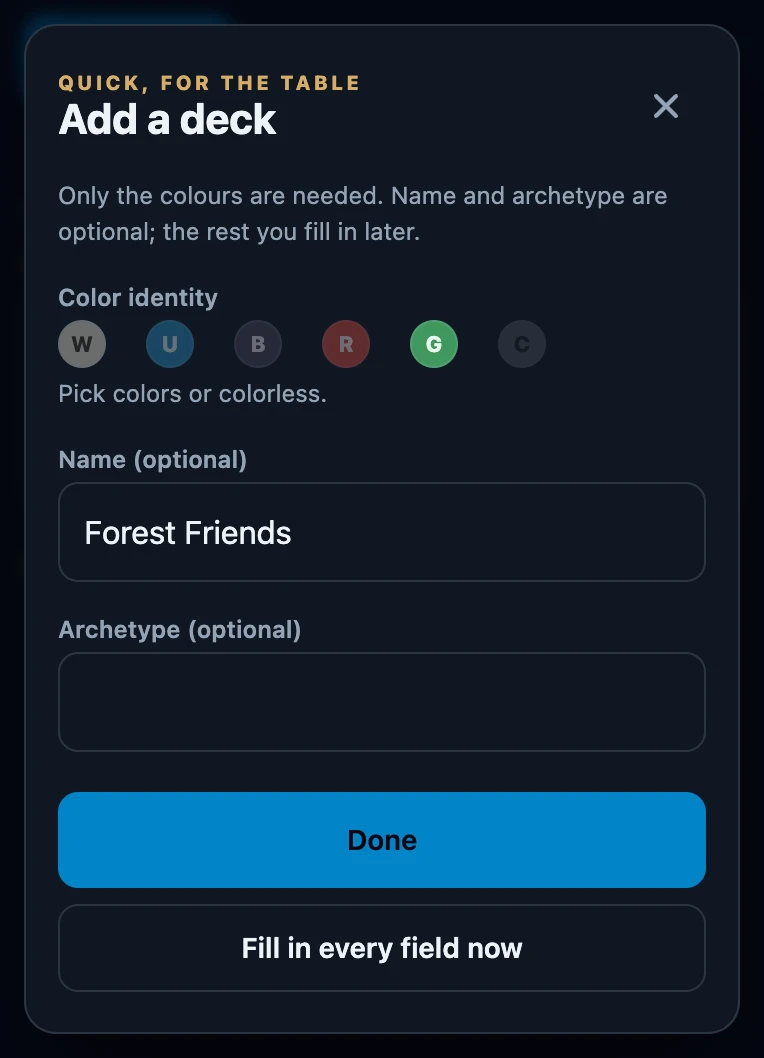
Fill in every field now takes the name, colours and archetype you already entered along. If you close the full form without saving, they are still there when you tap Add deck again. The full form is only offered here, not at the table and not on a friend's card.
What a provisional deck is
- You can play with it right away. Pick it at the table like any other deck; games are recorded with it.
- It is marked. It shows Provisional deck, or a small dot in Choose deck, and sits at the top of My decks under Provisional with Finish and Merge.
- Finish it later. Finish opens the full form, where you add format, commander, list URL and visibility.
- Already had this deck? Merge the provisional deck into it instead of keeping both.
A quick deck for a friend
- A friend who is Only with you. The deck is kept with that friend in your friends list. You can finish it from their card in Friends.
- A friend who is Linked to an account. The deck goes straight to your friend's own account as a provisional deck. You can still pick it at the table, but only your friend can finish, change or merge it.
- A player who joined with their own account. You see This account's decks. The player creates new decks on their own phone. You cannot create a quick deck for them on your device; once they create it on their own phone, it appears in your list by itself.
Without a connection
A quick deck is saved on this device first and sent as soon as there is a connection, so Done also works at a table without a signal. The full form, Finish and the other deck pages do need a connection.
If it does not work
- Done stays greyed out. Tap at least one colour, or C for colourless.
- C cannot be tapped. You already chose a colour, and colourless cannot be combined with colours. Tap the colours again to deselect them.
- There is no Quick new deck button. Choose who plays on the seat first. Guests and players with their own account at your table do not get one.
- I made a typo. Correct it with Finish on the deck in My decks. A deck on a linked friend's account can only be corrected by that friend.