Recording and results
How do I complete an unfinished match later?
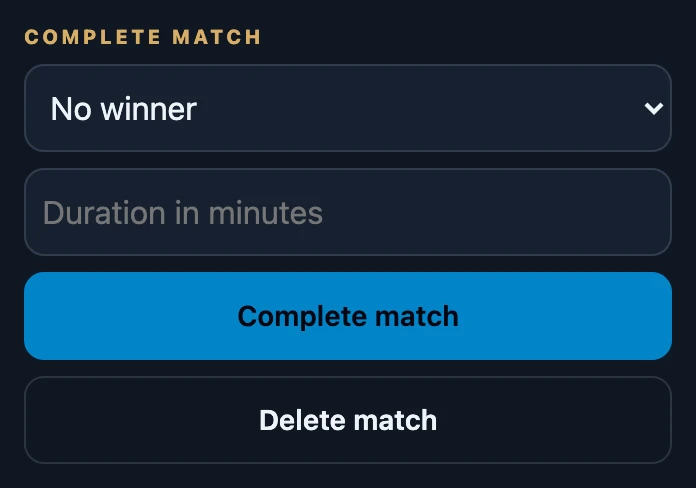
Open Club → History, turn on Unfinished only under Filters and tap the match. Under Complete match, choose the winner or No winner, enter the Duration in minutes if you know it, and tap Complete match. This needs a connection.
On this page
How a match stays unfinished
- Abort game was chosen after New game, or after changing the number of players or the starting life. Recording stops without a result.
- A match with several games was stopped that way after Next game in this match.
- Unfinished matches never count in statistics or standings, and they never become final.
Who can complete it
- The person who recorded the match.
- Every player in the match whose seat is linked to their account.
- Nobody else sees the match, so nobody else can complete it.
Complete the match
- Open Club → History. With unfinished matches, Club also shows Still to do; tapping that opens History with Unfinished only already on.
- Tap the match marked Unfinished.
- Under Complete match, choose the winner in the list that starts with No winner. It lists the players of the last game.
- Enter the Duration in minutes if you know it. Leave it empty to keep any duration that was already recorded.
- Tap Complete match. The details close and the match shows its winner.
What completing changes
- Only the last game gets the winner and duration. Earlier games in the match keep their result.
- Choosing a winner marks the other players in that game as not winning.
- Players with a linked account get the result to confirm, just like a match finished at the table.
- From now on it counts in statistics, and the seven days before the result is final start at this moment.
- A wrong winner can be fixed afterwards with Correct the result; completing itself cannot be undone.
What completing cannot do
- It does not bring back the table. Life totals and other changes that never left the phone are not restored; completing only records a winner and duration.
- If the match should not exist at all, the person who recorded it can delete it with Delete match instead.
If it does not work
- The match could not be completed. There was no connection, or someone else completed it first. Check the connection and open History again.
- There is no Complete match section. The match has already been completed.