Counter controls
How do I track commander damage from each opponent?
Add a counter and choose Commander damage. With two or more seats, the app asks which opponent the damage comes from; with one seat, it sets the type without a source. Use a separate counter for each opponent. The number turns gold at 21 or higher, without automatically eliminating anyone or changing life totals.
On this page
Before you start
Commander damage is one of the extra counter types described in add and remove extra counters; that article covers adding, adjusting and removing a counter in general. This one covers only what makes Commander damage different: it belongs to a specific opponent.
Choosing an opponent needs a second seat at the table. This works the same signed in or out.
Choose the source
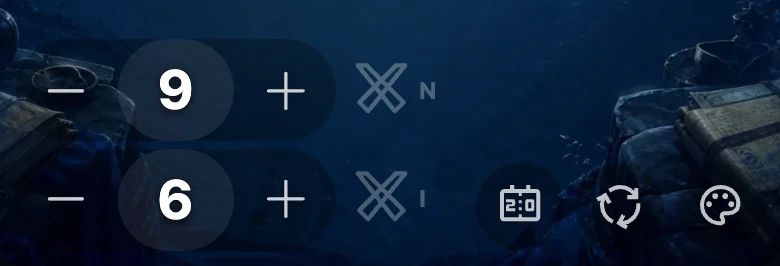
- Tap the add-counter icon in a seat's toolbar, next to the background and reset icons — or tap an existing counter's number to reopen the type list.
- Choose Commander damage from the list.
- With another seat at the table, the list is replaced by a list of opponents; tap the one this damage is coming from.
On a table with only one seat, there is no opponent to ask about: choosing Commander damage there sets the type directly, without a source.
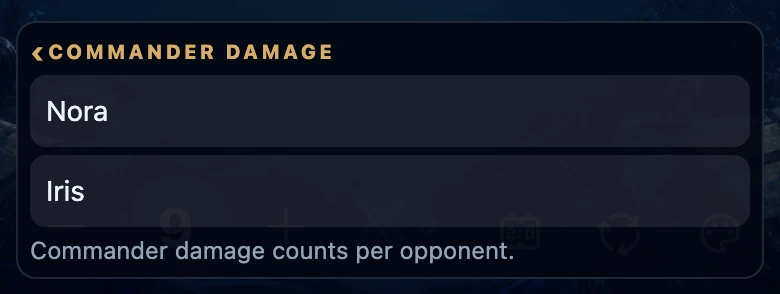
Track several opponents at once
Add a separate counter for each opponent dealing commander damage: repeat add a counter, choose Commander damage, pick that opponent. Each one is independent, with its own value, its own floor of 0 and its own gold flag at 21.
On the board, a Commander damage chip shows the source's initial next to its icon once that seat has a name, so you can tell sources apart at a glance; a screen reader hears the opponent's full name together with the type. An unnamed seat's chip shows only the icon.
A seat can hold at most 4 counters in total, shared with any other counter types already there — so you can follow at most 4 sources, or fewer once other counters are in use.
Renaming or moving a seat
A counter's source is tied to the seat, not to the name shown there. Reassign a different player to that seat afterward — tapping the name and choosing someone else — and every counter naming that seat as its source now shows the new name; it does not remember who was actually sitting there when the damage happened.
Moving an already-seated player to a different seat only moves their name. Their life total and every counter on the seat they leave, Commander damage included, stays behind.
To point a counter at a different opponent, tap its number to reopen the type list, choose Commander damage again and pick the new source; this replaces the previous one.
What this does not do
Adding a counter, choosing Commander damage or its source, and removing a counter change the table itself, not history. Only adjusting a counter's number with −/+ is recorded to that game's history, and only once you are signed in and a game is being tracked (see game, match and game night explained).
Reaching 21 turns that chip's number gold — a visual flag only. It does not eliminate anyone and does not touch anyone's life total, and no Eliminated? prompt appears because of it. If you consider a player defeated by commander damage, lower their life yourself; that prompt only appears once a life total reaches 0.
If it does not work
- I do not see a list of opponents when I choose Commander damage. You need a second seat at the table; a solo table sets the type without asking for a source.
- A source's name changed on its own. The seat it points to now has a different player assigned; the counter still names that seat, just under its current name (see above).
- The gold number did not eliminate anyone. That is expected — it only flags the count and never changes life or shows the Eliminated? prompt by itself.
- I cannot add another counter. Each seat is limited to 4 counters in total; remove one first.
- Two counters point at the same opponent by accident. Tap either one's number, choose a different source, or hold it to remove it.