Accounts and profile
I forgot my password. How do I get back in?
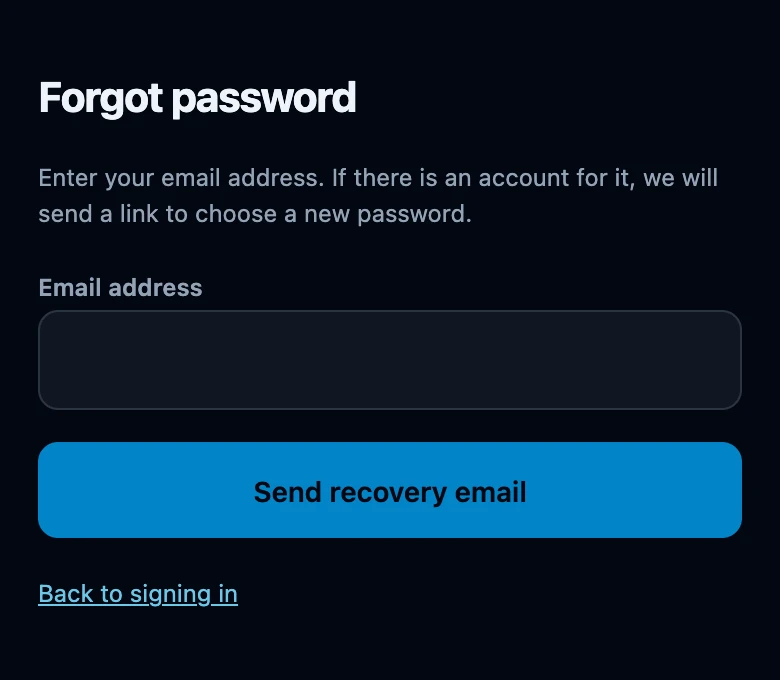
On the sign-in screen, choose Forgot your password?, fill in your Email address and tap Send recovery email. The link in that email opens New password, where a password of At least 8 characters. takes effect immediately: this device is signed in again and every other device is signed out.
On this page
Ask for a recovery email
- Open the Club tab. While you are signed out, this opens Sign in.
- Choose Forgot your password? under the form.
- Fill in the Email address of your account and tap Send recovery email.
- The screen replaces the form with If there is an account for this address, the email is on its way. Check your spam folder too.
That confirmation is the same for an address we know and an address we do not. It has to be: anything else would turn this form into a way of checking who has an account here. So the message is not proof that an email was sent to you.
Choose a new password
- Open the email and use Set a new password. The link is valid for one hour and works once.
- The app opens New password and names the address it is for.
- Fill in Password — At least 8 characters. — and repeat it under Repeat password.
- Tap Save password. You land on Club with the message Your password has been changed. Other devices have been signed out.
Open the link on the device where you are signed out. The New password form is only shown to a signed-out app: opening the same link while still signed in takes you straight to Club without asking anything. Sign out first, or use another device.
What changes
- You stay signed in here. Saving the new password signs this device in again; you do not have to type it a second time.
- Every other device is signed out. A forgotten password is treated as a password somebody else might know, so all other sessions end.
- Nothing is deleted anywhere. Those devices keep their own table and anything they had not sent yet; that work goes out as soon as the account signs in there again (see sign in, sign out and switch accounts safely).
- Nothing else about your account moves. Your name, username, language, friends, decks and recorded games are untouched.
If the link does not work
- This recovery link has expired or was already used. Request a new one. The hour has passed, or the link has done its job once. Use Request a new recovery email under the form.
- This link is incomplete. Request a new recovery email. The address was copied out of the email without the full link. Tap the button in the email itself instead of copying the text.
- The password field must be at least 8 characters. The length is checked when you send the form. Choose a longer one.
- The password field confirmation does not match. The two fields differ. Type both again.
- The link opens Club instead of a form. This device is still signed in. Sign out under Profile and open the link again.
No email arrived
- Check your spam folder, and make sure you used the address you registered with. A typed address that has no account gets the same friendly confirmation and no email at all.
- Wait a minute before asking again. The app says so itself: Nothing yet? Try again in a minute. Repeated requests in the same minute are held back.
- Requesting again invalidates the previous link. Always use the most recent email.
- No access to that mailbox any more? There is nothing in the app that can move the recovery to a different address, and your email address cannot be changed under Profile either.
Changing a password you still know
The same route. Profile has no password field, and there is no other place to change one, so Forgot your password? is how you pick a new password on purpose as well. Keep in mind that it signs your other devices out (see change name, language, username and defaults).